
For BlackBox contributors
You’re a filmmaker.
Not a data-entry clerk.
DarkCrate watches your clips, writes the metadata, catches every rejection before it happens, and uploads to BlackBox. You go shoot.
One-time purchase · 30-day money-back guarantee · No AI accounts needed
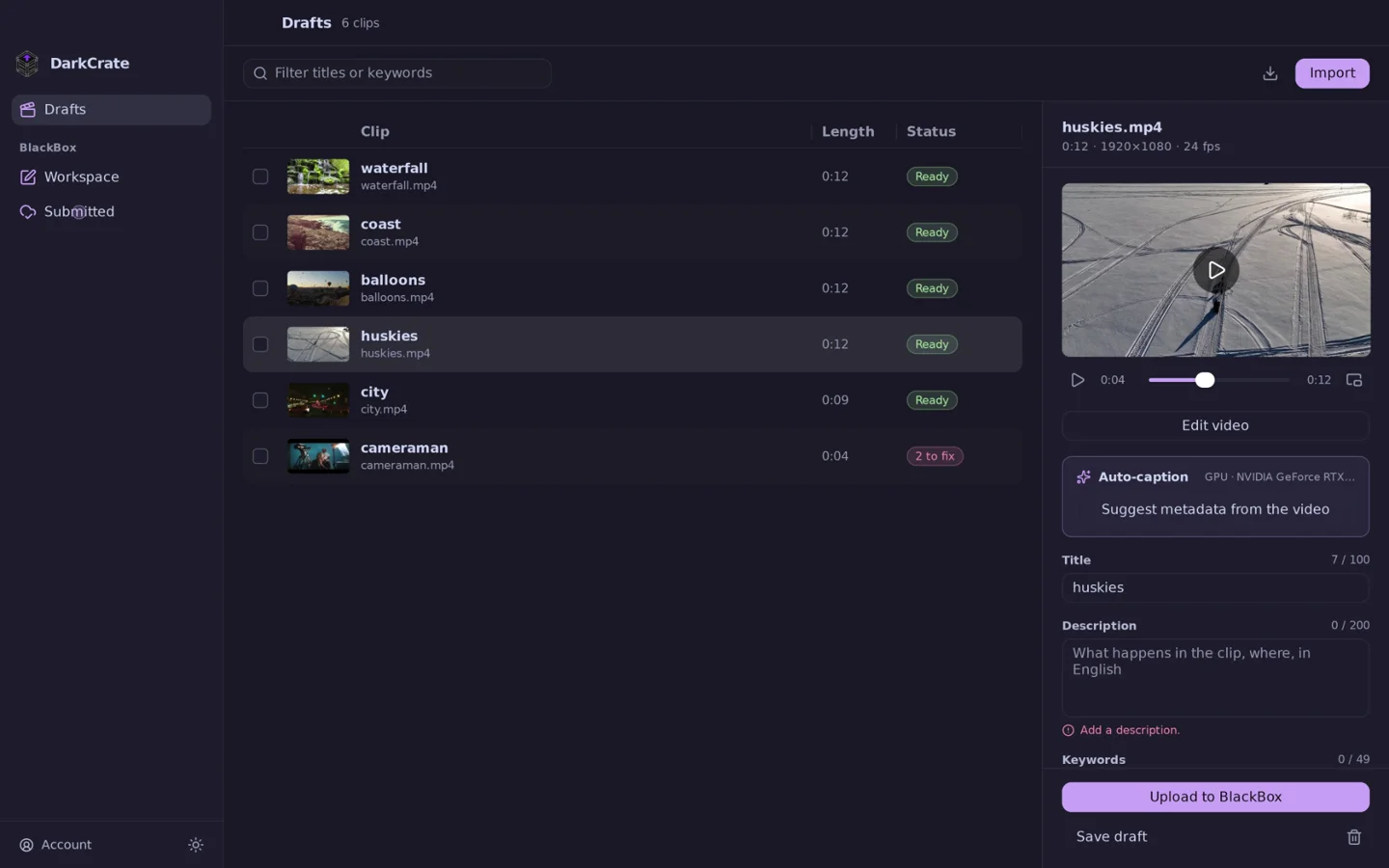
You drove four hours for the sunrise.
You got the shot.
Then you spent the night typing keywords.
Forty-nine of them. For every clip.
A week later, the verdict:
Rejected. Black bars.
Your best work deserves better than a web form.
The real cost
What the upload form costs you.
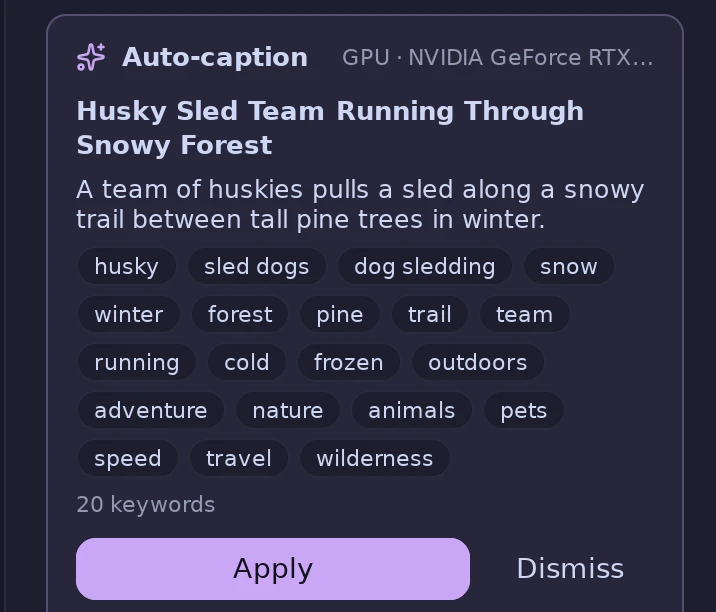
DarkCrate writes it for you, in seconds.
It watches. It writes.
DarkCrate’s AI is built in and runs on your own computer. It watches each clip and writes a title, a description and keywords, the way BlackBox wants them. Read it, tap Apply, move on.
- No ChatGPT, OpenAI or Claude account. No API keys.
- Nothing to pay per clip, ever
- Works offline. Your clips only leave your computer when you upload them.
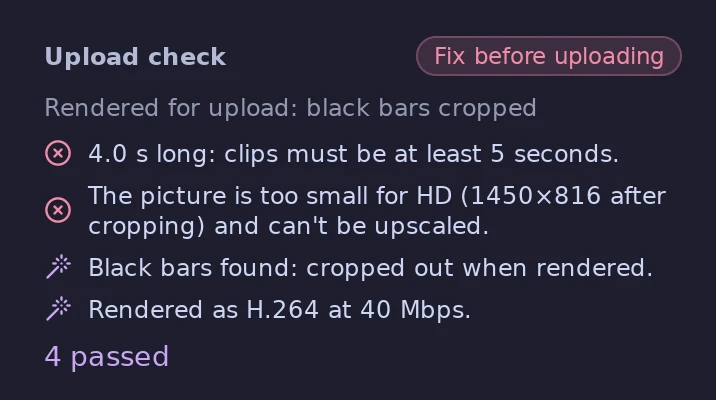
Rejections, before they happen.
Every clip is checked against BlackBox’s rules before you upload. What DarkCrate can fix, it fixes for you. What it can’t, it tells you, in plain English.
- Too short or too long
- Picture too small for HD
- Black bars, cropped out for you
- Sound, removed for you
- Wrong quality settings, fixed on export
- Look-alikes of clips you’ve already sent, flagged
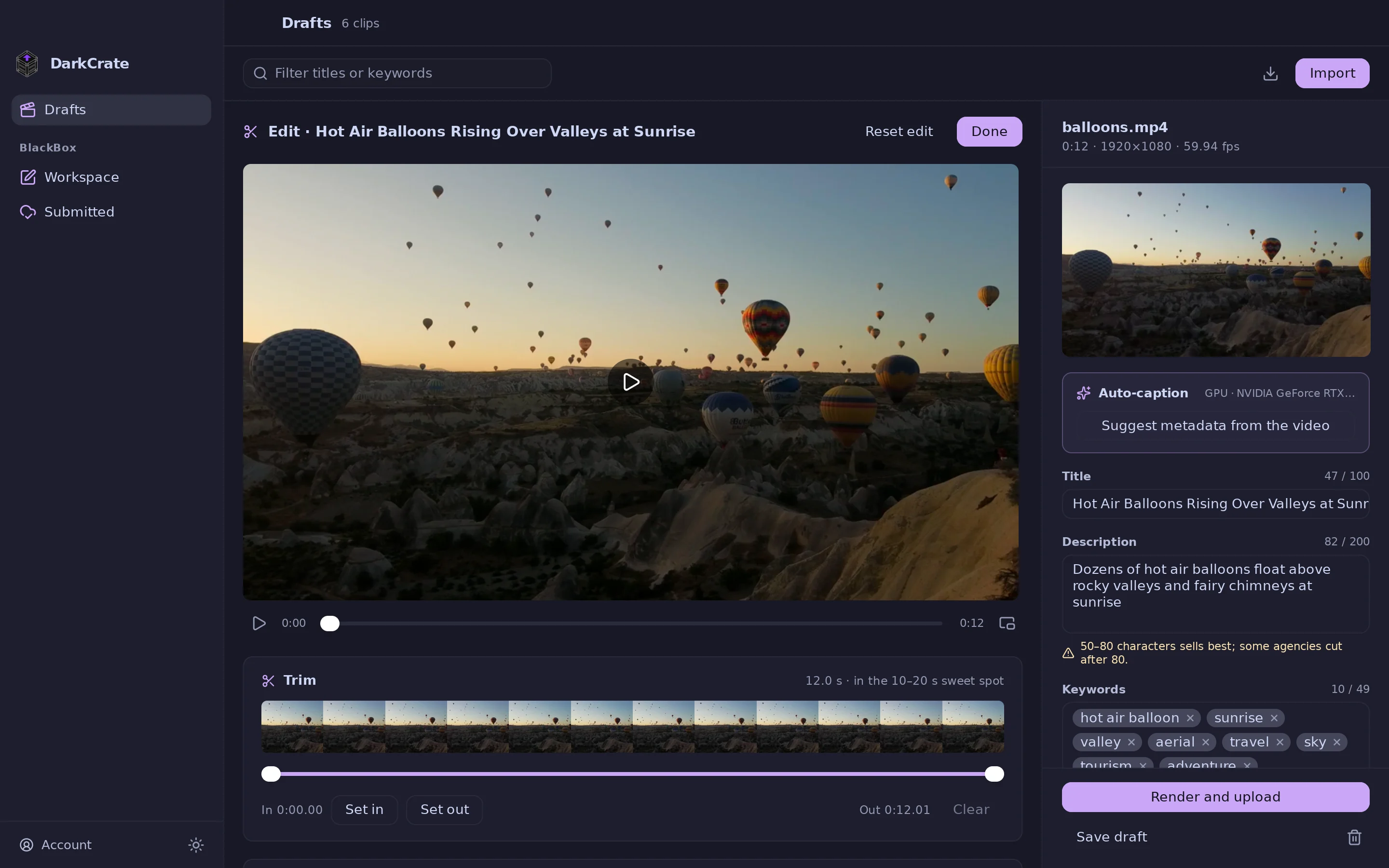
A finishing room, built in.
Trim to the length that sells, zoom in, smooth out shaky footage, and turn flat, washed-out footage into rich color. Then export it exactly the way BlackBox wants it.
- Color fixes for Sony, Canon, Panasonic, Fujifilm, Olympus/OM System, DJI and iPhone footage
- Eight subtle looks, previewed on your own clip
- Steadier, tighter shots without losing quality
Upload. Submit. Watch it earn.
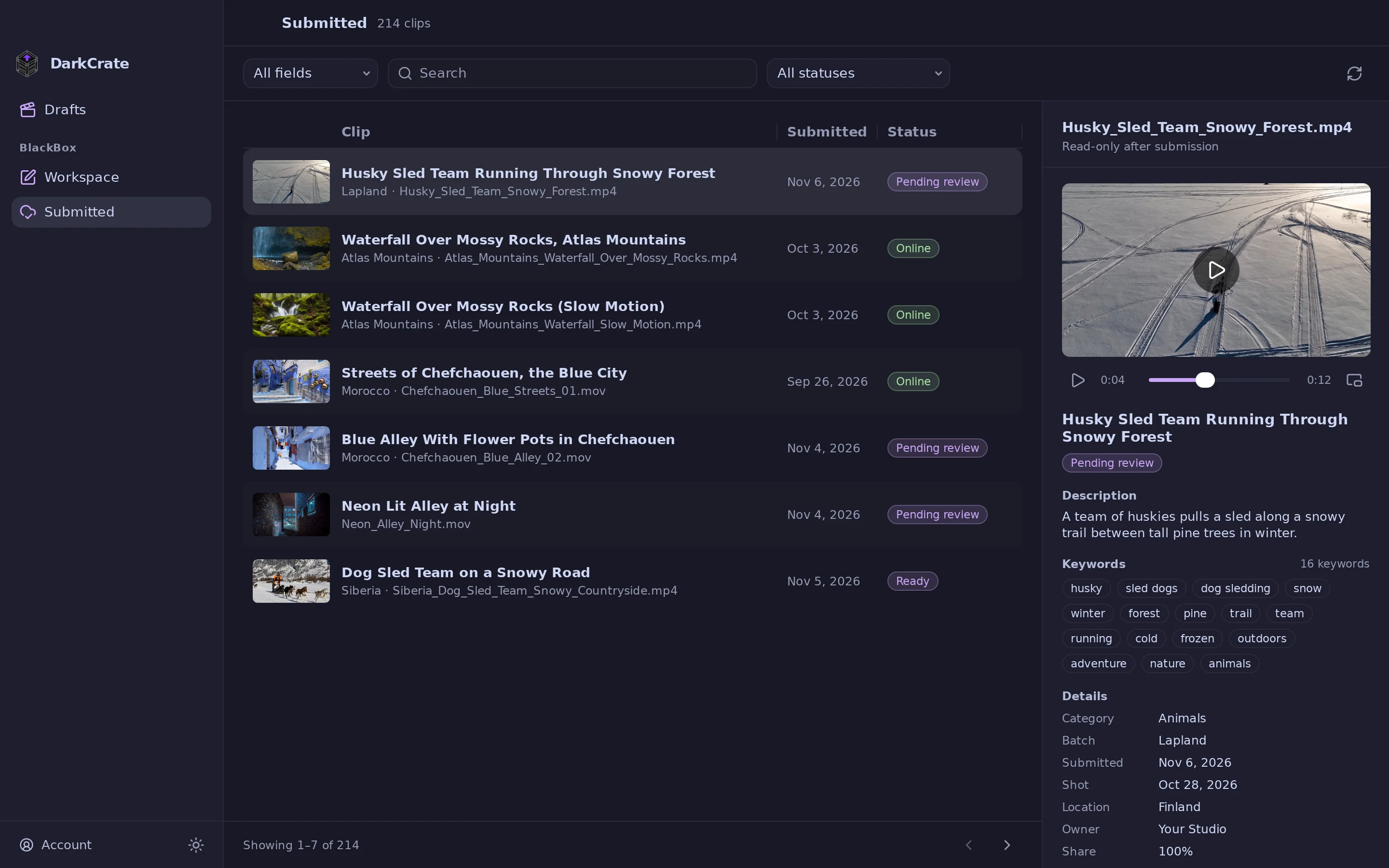
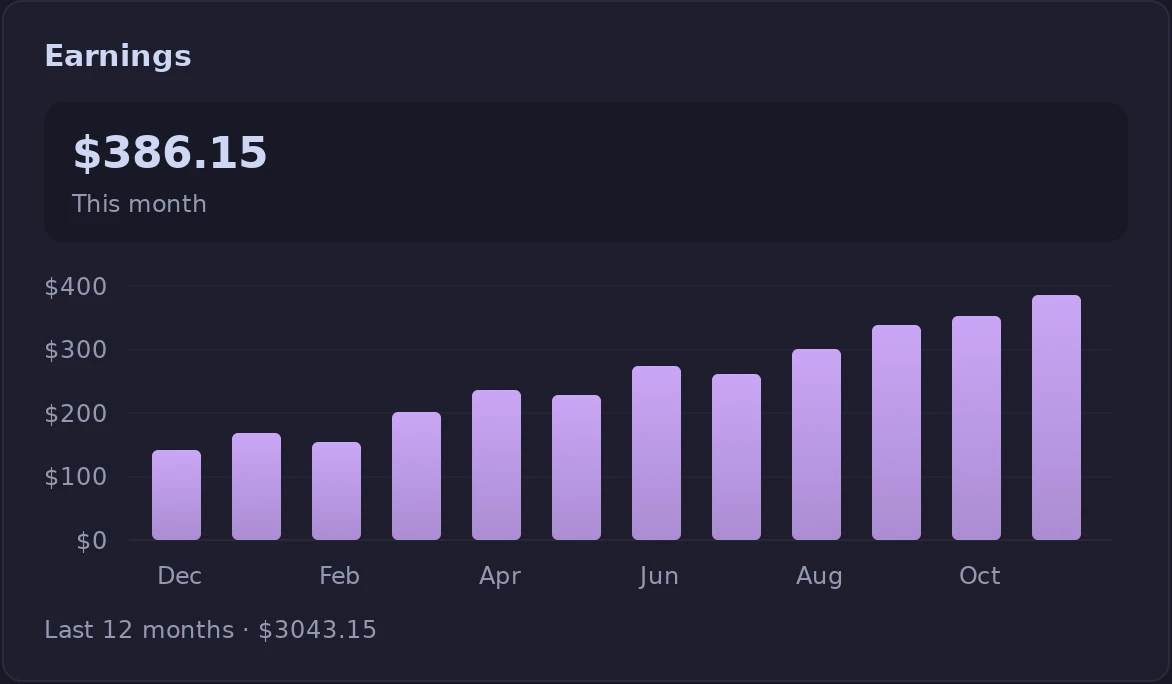
Batches, model releases, the weekly upload limit, review status and your earnings. All of BlackBox, in one fast window.
And the hundred small things.
Apply to batch
Fill a whole shoot's metadata at once.
Model & property releases
Upload, attach and detach, right next to the clip.
Upload limit counter
Knows your weekly and monthly allowance.
Near-duplicate warnings
Before BlackBox calls it a duplicate.
Originals untouched
Works on copies. Never renames or rewrites.
Shooting date & country
Read from the file itself, never guessed.
Spreadsheet backup
All your metadata, in BlackBox’s own format.
Your password stays yours
You sign in on BlackBox’s own page.
$79 Once.
Pay once. Keep it. Earn it back with a few sales.
- Every feature, including the built-in AI
- No AI subscriptions or accounts to set up
- Use it on two computers
- 30-day money-back guarantee
- New releases in your downloads
- Windows and Linux
Secure checkout by Polar. Your license key arrives instantly.
Which file do I download?
Your purchase email links to your downloads. You need one file:
…-amd64.exe…-arm64.exe…_amd64.deb…-linux-amd64.PKGBUILD + .tar.gz…-linux-amd64.tar.gzLinux on ARM: the same files with arm64. Not sure whether your PC is ARM? It almost certainly isn’t.
Can’t find your email? Write to [email protected].
Questions.
Is DarkCrate made by BlackBox?
No. DarkCrate is an independent app for BlackBox contributors. It isn’t affiliated with or endorsed by BlackBox. You sign in on BlackBox’s own page, and DarkCrate never sees your password.
Do I need a ChatGPT, OpenAI or Claude account?
No. DarkCrate’s AI is built in and runs on your own computer. There’s no account to create, no API key to paste and nothing to pay per clip. It’s a one-time download, works without internet, and your clips stay on your computer until you upload them.
Which computers does it run on?
Windows and Linux. A graphics card from NVIDIA, AMD or Intel makes the AI faster, but you don’t need one. macOS is on the way.
Will it change my original files?
Never. DarkCrate imports a working copy of each clip and leaves the original exactly where and how it was.
Is there a free trial?
No, but every purchase has a 30-day money-back guarantee. Try it on your own clips, and if it isn’t for you, email [email protected] within 30 days to get your money back in full.
How many computers can I use?
Two per license. Move a license by deactivating a computer from the Account page.
Does it work offline?
Yes. Editing, checks and the AI all work offline. Your license only needs to check in once every 30 days.